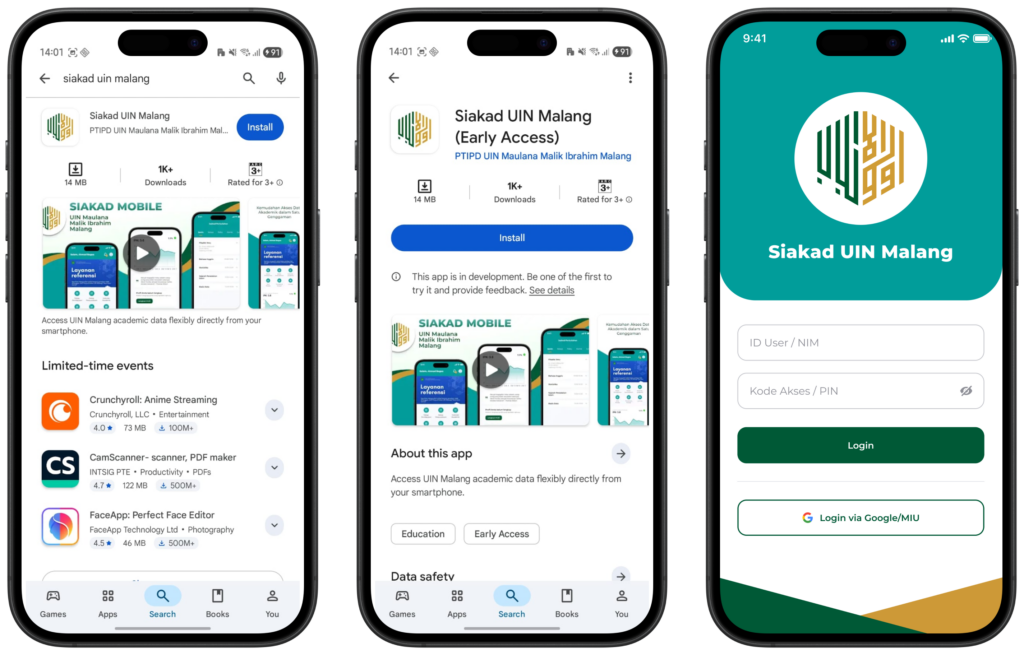
MIU Login

Siakad Mobile

Academic Services in One Hand

Integrated Service Digitalization for Academic Flexibility

The UIN Maulana Malik Ibrahim Malang SIAKAD Mobile Application is a manifestation of the digitalization of integrated academic services designed to provide flexible data access for the entire academic community.. This platform synergizes various administrative functions ranging from monitoring lecture schedules, visualizing achievement index progress, to accessing international scientific references into one responsive mobile ecosystem to support the efficiency and smooth flow of academic information within the university environment..

Usage Guide

For those of you who want to optimize the use of SIAKAD Mobile, please follow these technical steps:

Installation and Authentication

  • Download the App: Search with the keyword "Siakad UIN Malang" on the Google Play Store, then install it..

  • Entry Access: Use credentials Single Sign-On (SSO) You; enter Student ID Number as User ID and use password the same as the web version.

Explore the Dashboard Menu

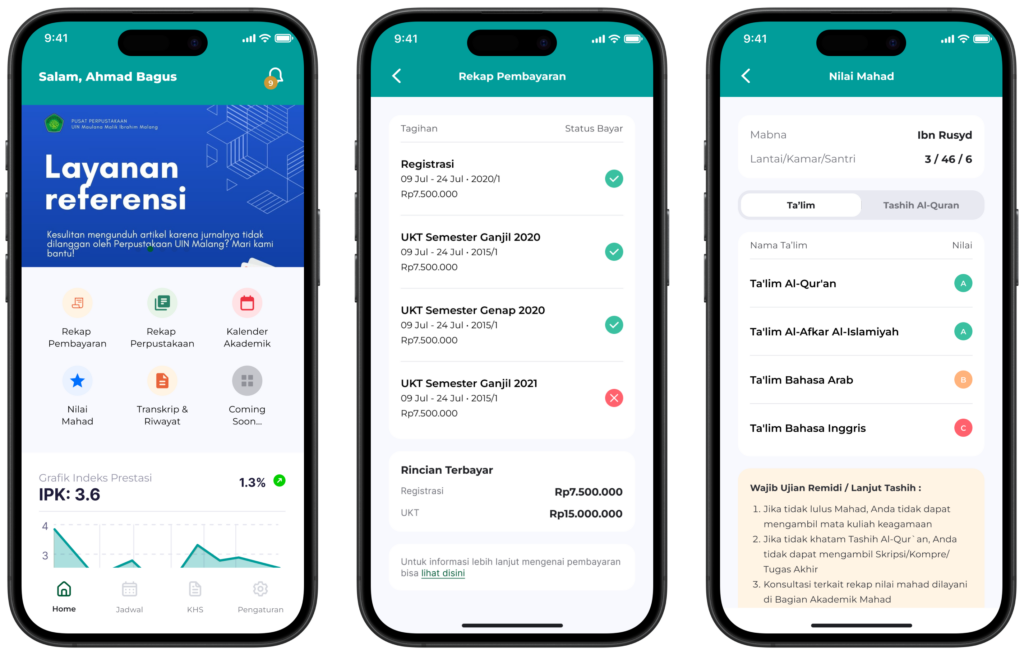
On the main page, there is a row of administrative icons for quick access:

  • Payment Recap: Monitor UKT status and other education costs.

  • Library Recap: Check visit history and book loan status.

  • Academic Calendar: Synchronization of KRS, lecture and exam schedules.

  • Ma'had Values: Special access to view Ta'lim and Tashih value achievements.

  • Transcript & History: View a summary of all the grades for courses you have taken.

Main Function Navigation

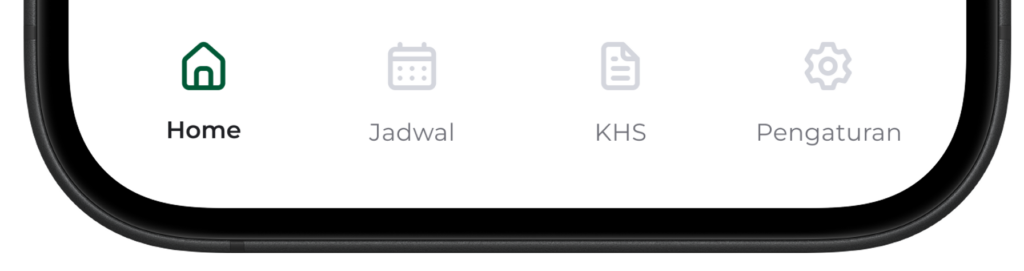
Use the navigation bar at the bottom to switch between main features.

  • Timetable: Displays daily course details, names of lecturers, and building and room details..

  • KHS: View Study Result Cards per semester with the academic year filter feature.

  • Arrangement: Personal profile management, password updates, and account logout options (logout).

Coming Soon