Stay Connected, Wherever You Are
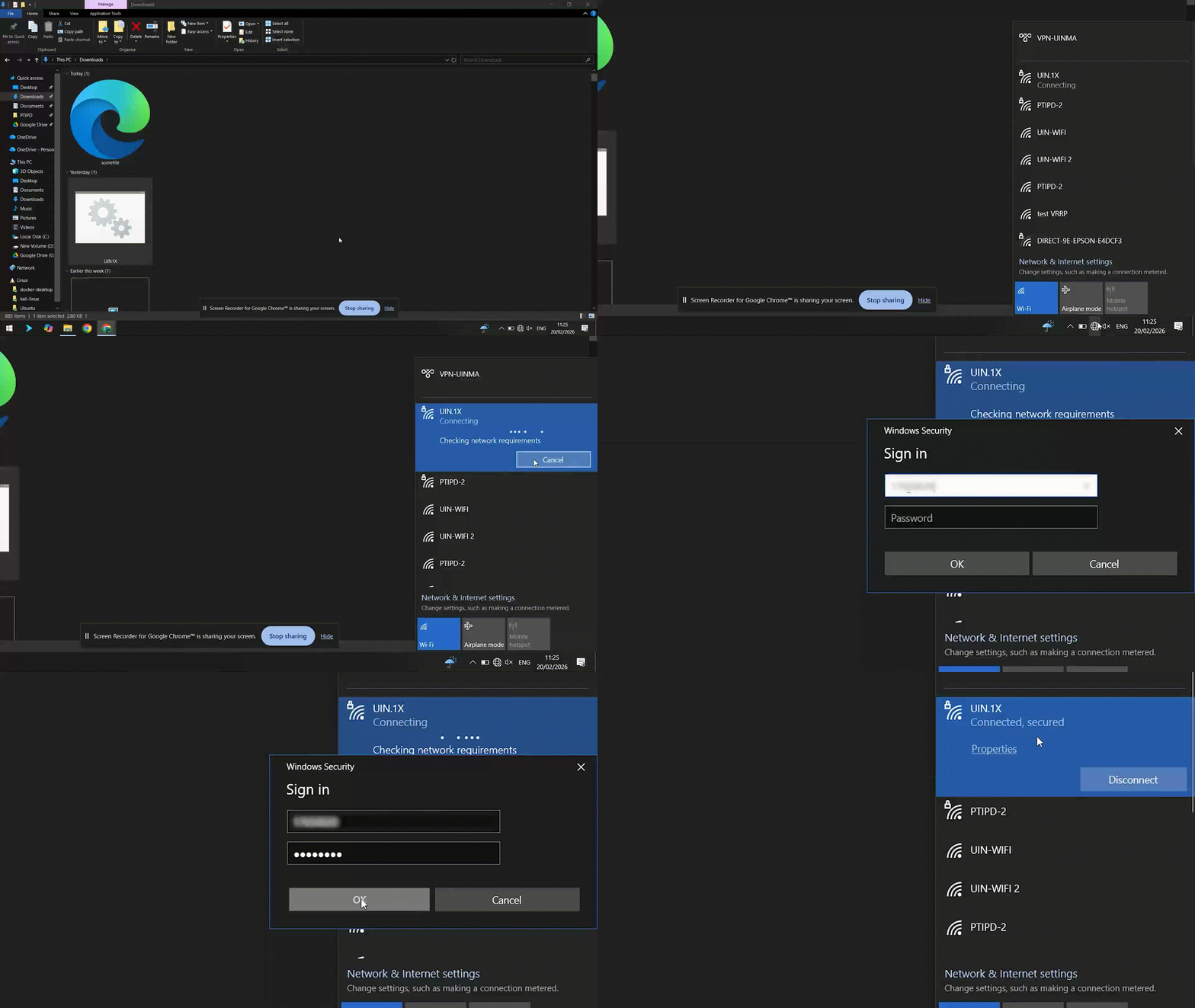
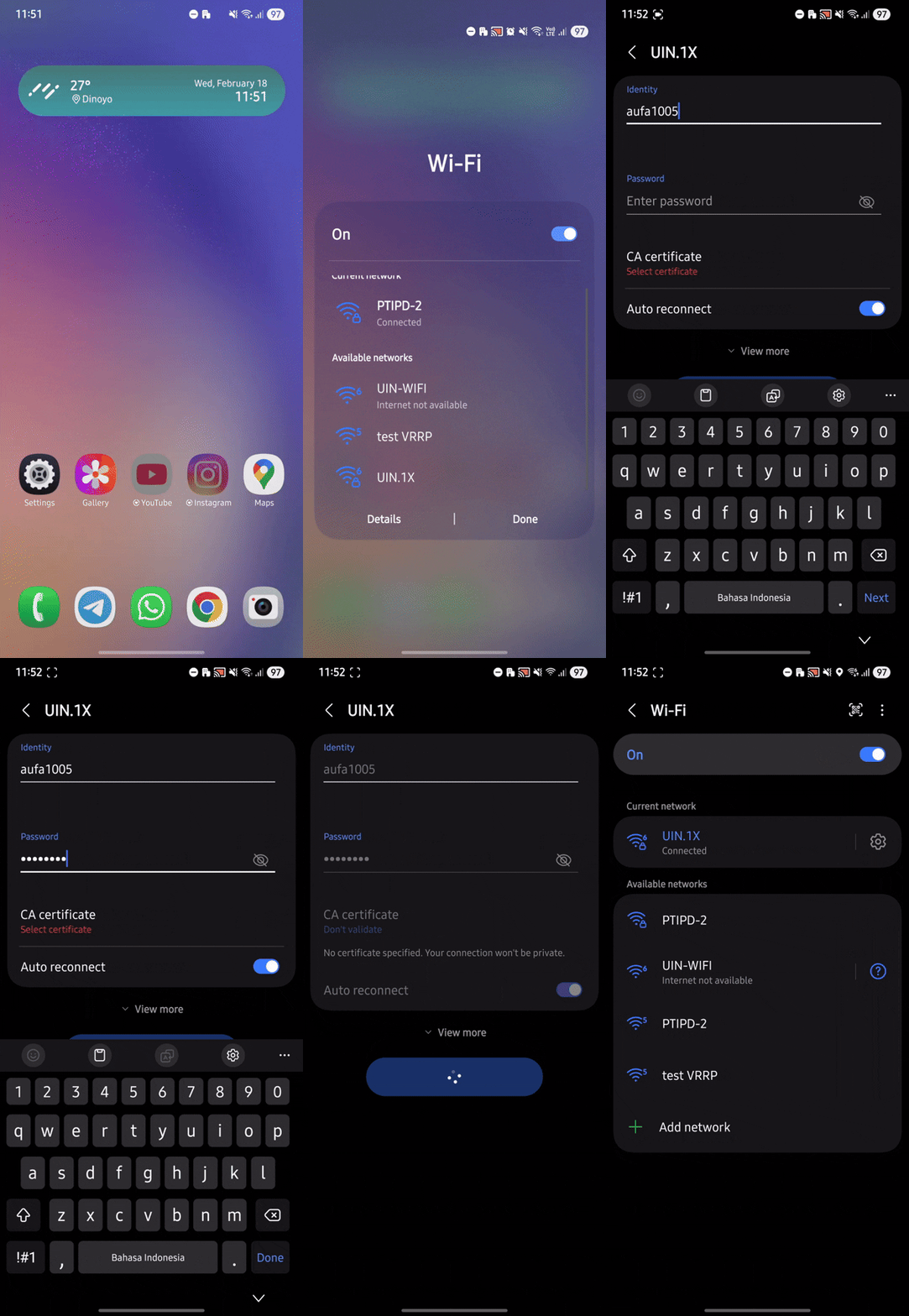
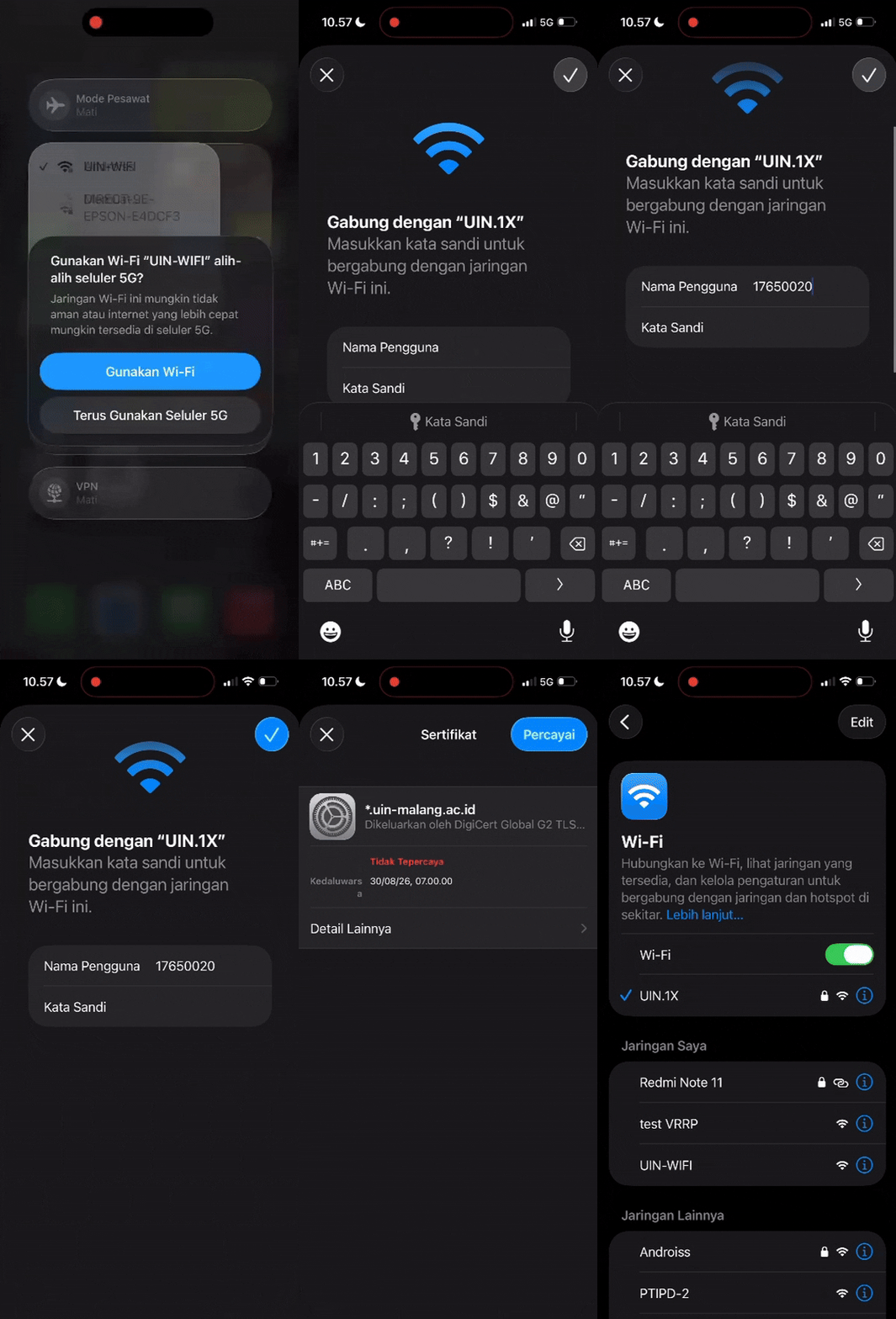
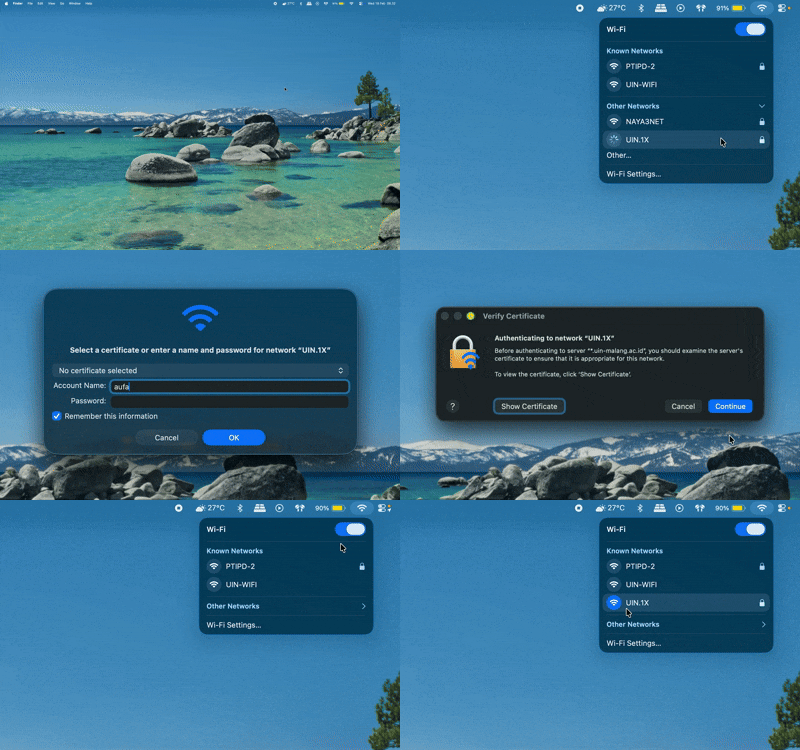
Enjoy fast and secure internet access throughout the campus area through the network. UIN.1X Specifically designed to support your academic and research activities. Simply use your MIU Login SSO account to connect, and please follow the configuration steps in the technical guide below to ensure your device is connected smoothly.
Eduroam (Global Roaming) Coming soon ! Free internet access at thousands of educational institutions worldwide with Eduroam, giving you the convenience of seamless connectivity when visiting internationally renowned campuses anywhere.
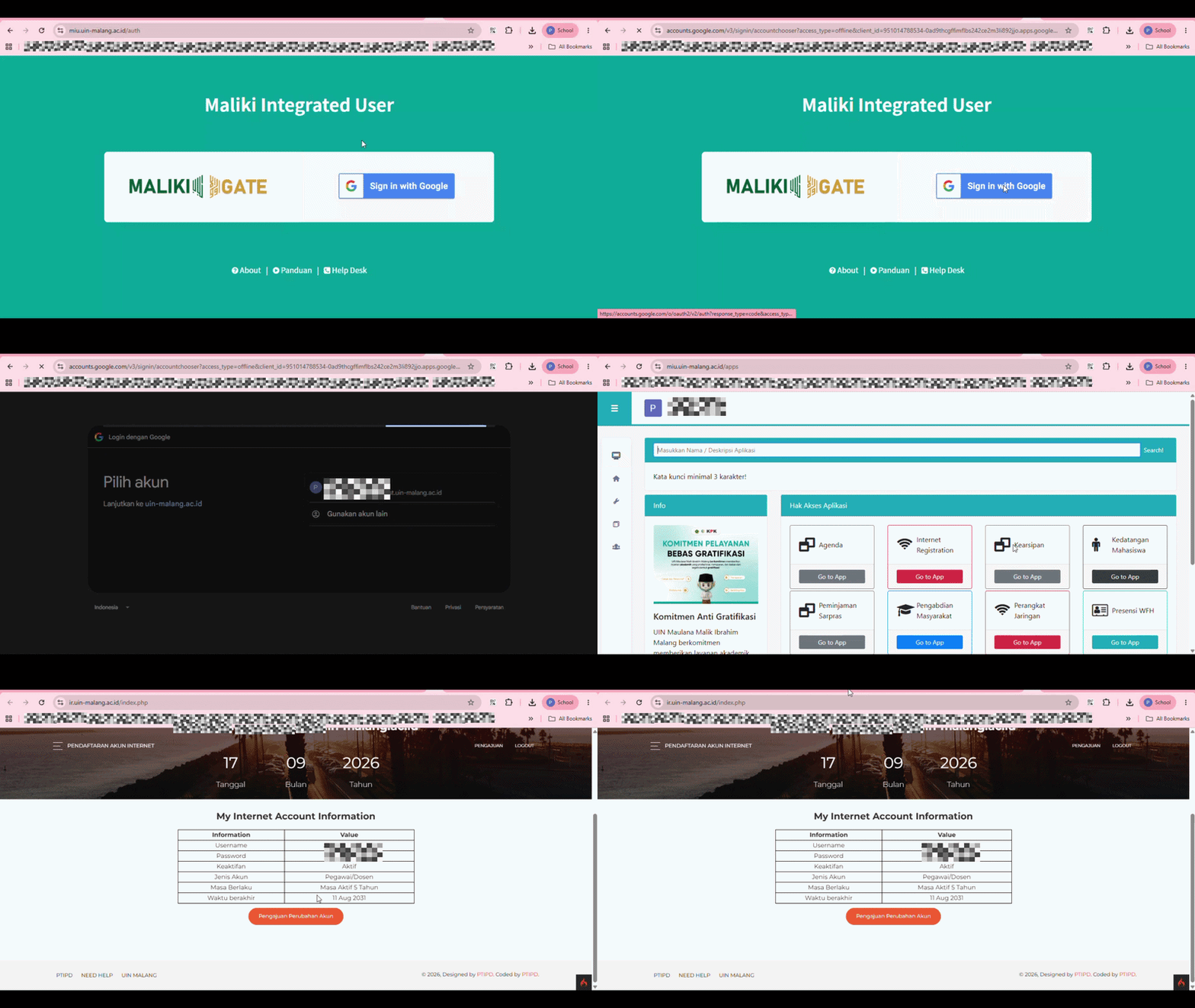
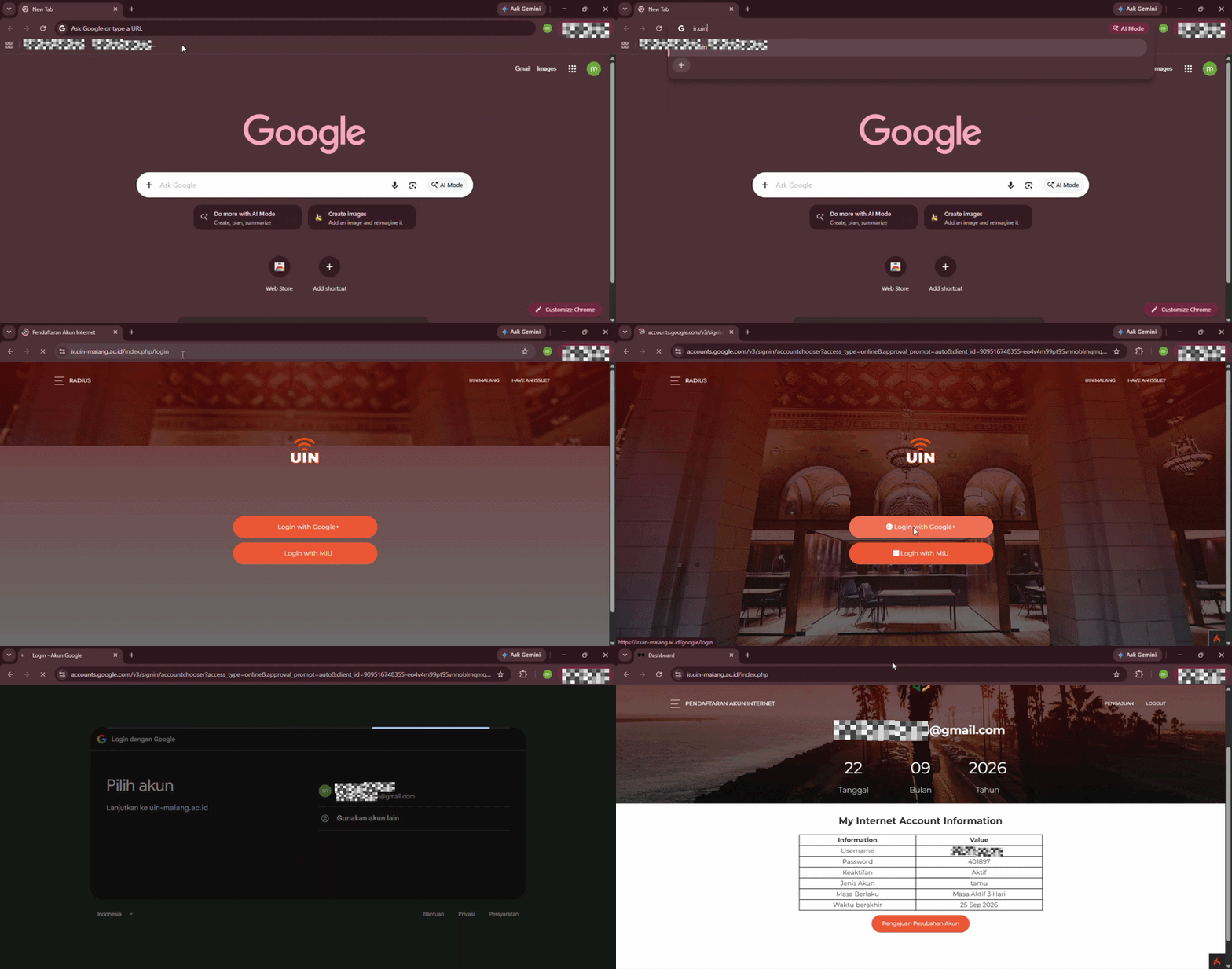
Make sure you have prepared your account credentials in the form of Student Identification Number (NIM) or Employee Code as username, as well as SIAKAD password which is active to perform the network authentication process.
Please select the device type tab you are using below to see the technical configuration steps that have been adapted to each operating system.
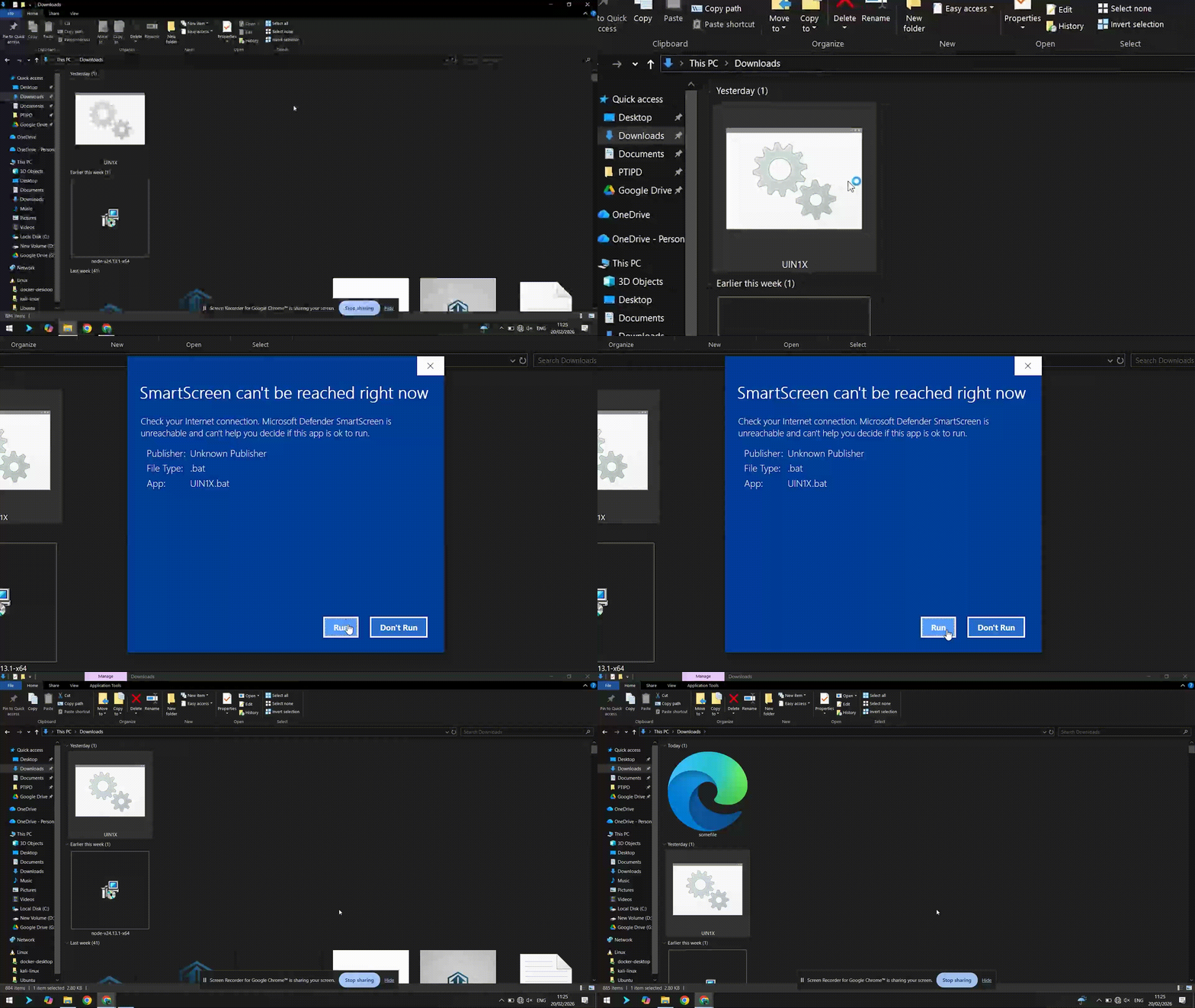
Download the UIN.1X protocol file from the link below specifically for Windows 10 users.
This usually occurs due to a spelling error. username or password. Double check that your Siakad account is correct, there are no extra spaces, and pay attention to the use of upper/lower case (case-sensitive).
Your device may still have old, invalid configurations. Please select the option “Forget Network” (Forget Network) on the Wi-Fi name, then try the process login restart from the beginning
Make sure you're within range of a strong enough signal. If you have a strong signal but your connection is still slow, try turning off your device's Wi-Fi for a moment and then turning it back on to refresh your connection.
Don't hesitate to seek further assistance. Our team is ready to help resolve your connectivity issues through our customer support service. Dumas or visit our IT service center during business hours