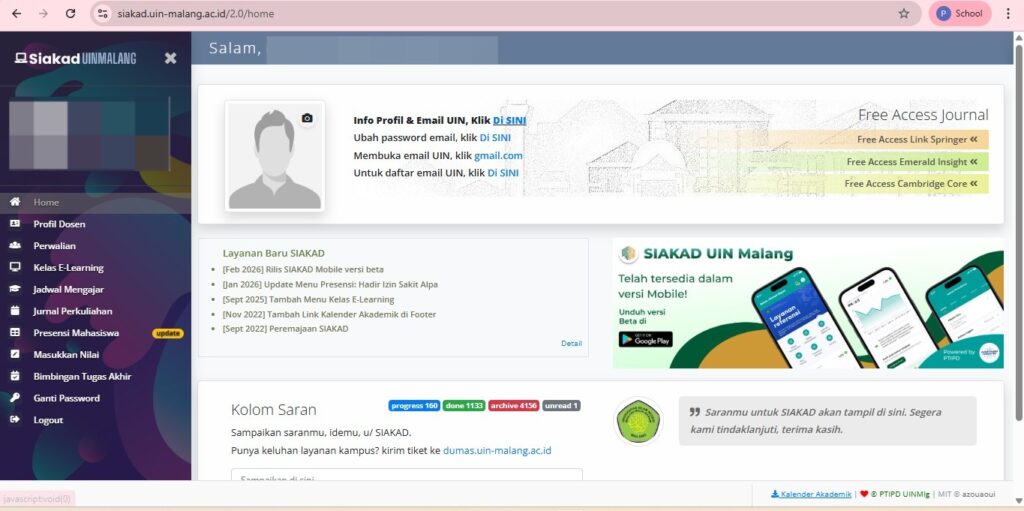
For PNS and BLU lecturers, it is necessary to independently activate the @uin-malang.ac.id email account from Siakad (activation takes several hours to be accessible, a maximum of 1 x 24 hours after activation).
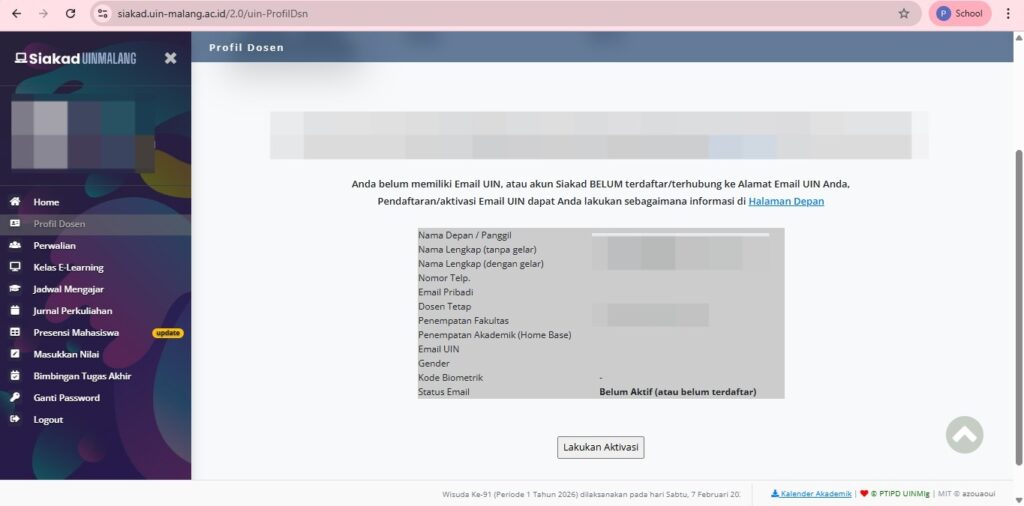
Click the “Lecturer Profile” menu, then click “Email Activation”.
3. Fill in the data and activate the process
Enter your nickname, full name without title, full name with title, gender, home base, preferred domain, UIN email ID (father/mother's name), personal phone number, and email address. Ensure your personal email address is correct and active. Then, click "Process Activation Request.".
4. Wait for the Activation Process
The Email Activation process takes 1 hour to 24 hours to be used.
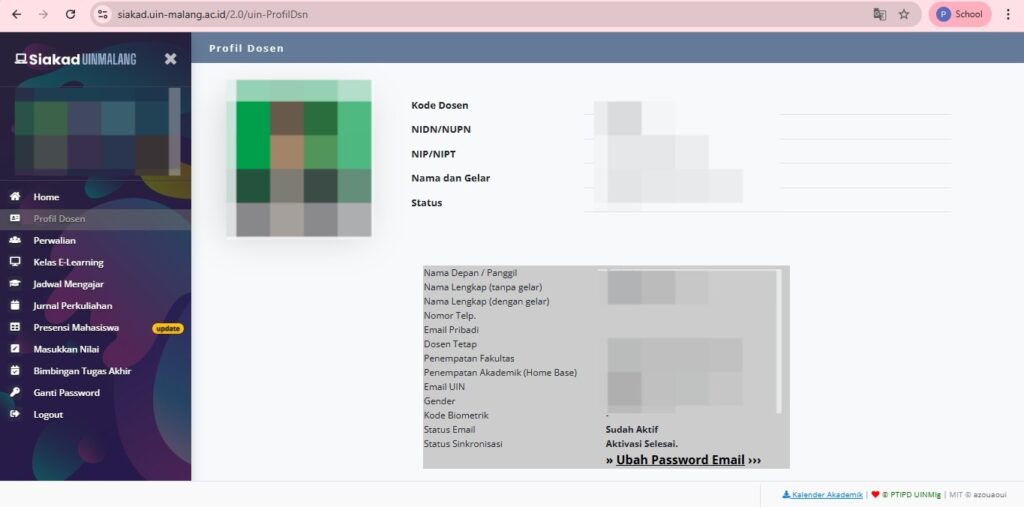
5. Email status changed
The Email Status will change or be replaced by “Already Active” and the Institutional Email is ready to use.
 EN
EN  ID
ID  AR
AR  ZH
ZH