 EN
EN  ID
ID  AR
AR  ZH
ZH 
Panduan Pembuatan dan Pengaturan Pop-up WordPress Elementor
Panduan ini bertujuan untuk memudahkan pengelola website unit, fakultas, atau lembaga di lingkungan UIN Malang dalam membuat pengumuman, pamflet, atau informasi penting menggunakan fitur Pop-up dari Elementor Pro. Langkah 1: Mengakses Menu Popups Langkah 2: Membuat Template Pop-up Baru Langkah 3: Memilih Layout atau Mendesain Pop-up Langkah 4: Mengatur Kondisi Tampil (Publish Settings) Setelah desain […]
To anticipate cyber threats during the Eid al-Fitr holiday, PTIPD UIN Malang has released a "Peaceful Homecoming, Secure Data" guide.“

MALANG – As the long Eid al-Fitr 1447 H holiday approaches, the mobility of UIN Maulana Malik Ibrahim Malang's academic community is projected to increase significantly. Along with the tradition of returning to one's hometown, digital activity and device usage outside the campus area have also surged. In response, the UIN Malang Information Technology and Database Center (PTIPD) […]
Guide for Android Smartphone/Tablet devices
For Video Guide, click this text The UIN.1X connection step-by-step guide is as follows: 1. Click Settings – Connections – Wi-Fi (Make sure it is on) – Click the UIN.1X signal 2. In the next step, it can be different for each type and brand of Android phone. Method 1 EAP method using PEAP Phase 2 authentication Select MSCHAPV2 Identity fill in with NIM […]
Institutional Email Activation Guide for LAB/Organization
Institutional Email Activation Guide for LAB or Organization To create an institutional email account for LAB or Organization, please send an Email Creation Letter signed by the Dean/Head of Study Program, then send it to: email: ptipd@uin-malang.ac.id After sending the Application Letter, please click on this text.
Institutional Email Activation Guide for employees
To create or activate an institutional email for employees, please use the following link: 1. Click here to activate the institutional email for UIN Maulana Malik Ibrahim Malang employees. 2. Complete the data for institutional email activation. Please fill in the data in the Google form in detail and completely, then click "Submit". 3. The activation process. The email activation process […]
Lecturer Institution Email Activation Guide
Activation of Lecturer Institution Email Account For PNS and BLU Lecturers, it is necessary to independently activate the @uin-malang.ac.id email account from Siakad (activation takes several hours to be accessed, a maximum of 1×24 hours after activation). 1. Open SIAKAD Please open https://siakad.uin-malang.ac.id/ on the Chrome/Edge/Mozilla browser. 2. “Lecturer Profile” Menu Click the “Lecturer Profile” menu, then click “Email Activation”. 3. Fill in […]
Student Institution Email Activation Guide
Student Institution Email Account Activation Active students need to independently activate the @student.uin-malang.ac.id email account from Siakad (activation takes several hours to be accessible, a maximum of 1×24 hours after activation). 1. Open SIAKAD Please open https://siakad.uin-malang.ac.id/ on the Chrome/Edge/Mozilla browser. 2. “Student Profile” menu Click the “Student Profile” menu, then click “Activate Email” 3. Fill in the data and […]
Guide to Adding a Book Cover (malikipress)
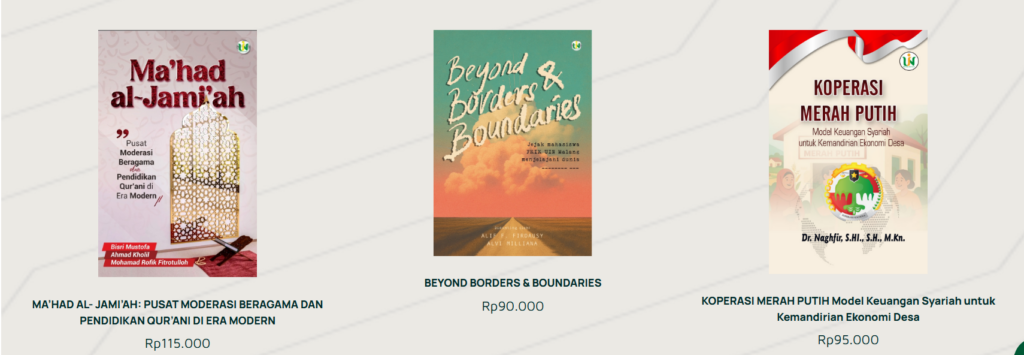
This guide will help you add a new book cover (as shown above). Follow these steps: Go to the "dashboard" page, click "page," then click "add page." 2. Type the title you want to add, for example, "Green Economy, Sharia Green Finance..." then click "edit with Elementor" […]
Container Setup Guide
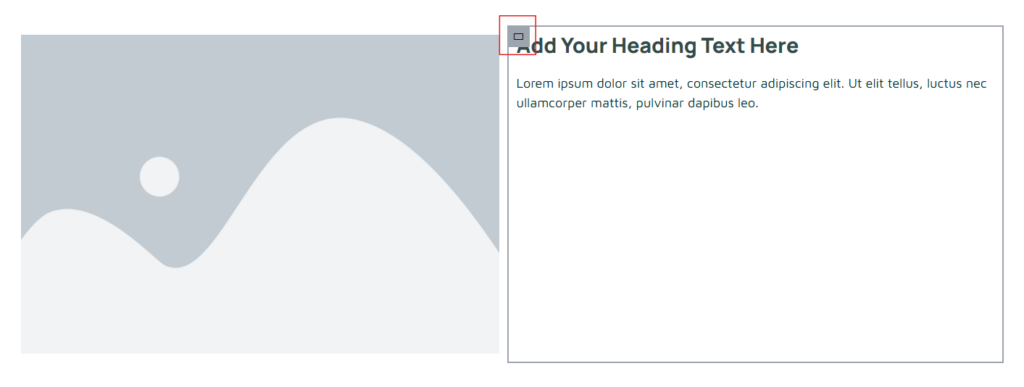
This guide will help you position your container to the center, side, or bottom. Click the container image on the far left (the one with the red box). 2. The display when the container image is clicked. If you want to center your content, click the "center" icon (yellow highlighter in the image) in "Justify Content" […]
2-Sided Content Guidelines
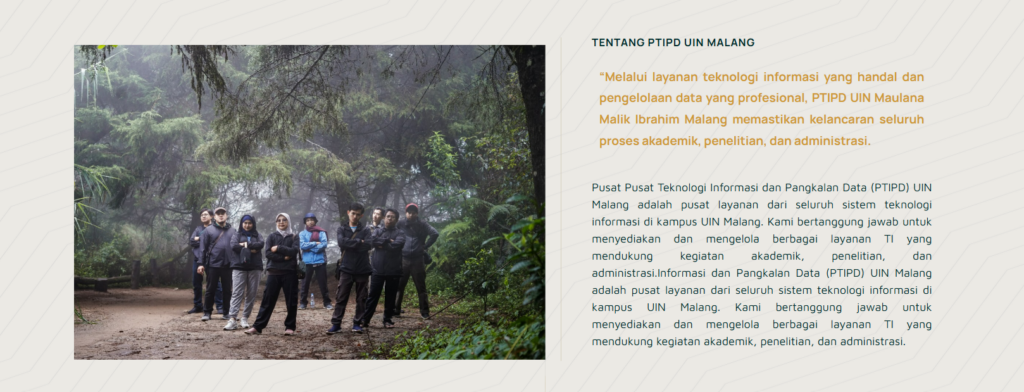
The following guide is for those of you who want to create website content with two sides containing images and text (as shown in the image above). Select "flexbox," which has two containers. 2. Image Display 2 containers. After that, select the elements you need. For example, if you want to insert an image and text, drag the elements into the box […]


