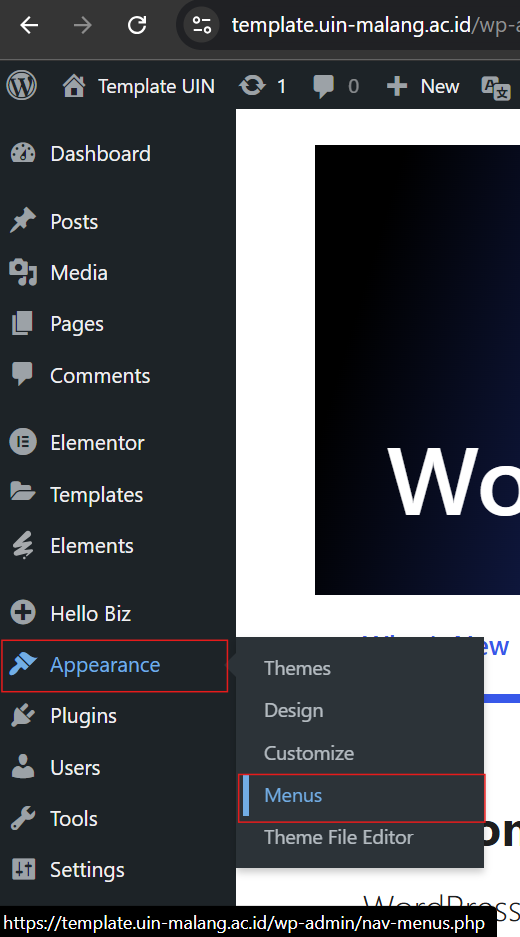
- Click “Appearance” then click “Menu”
2. Add menu display
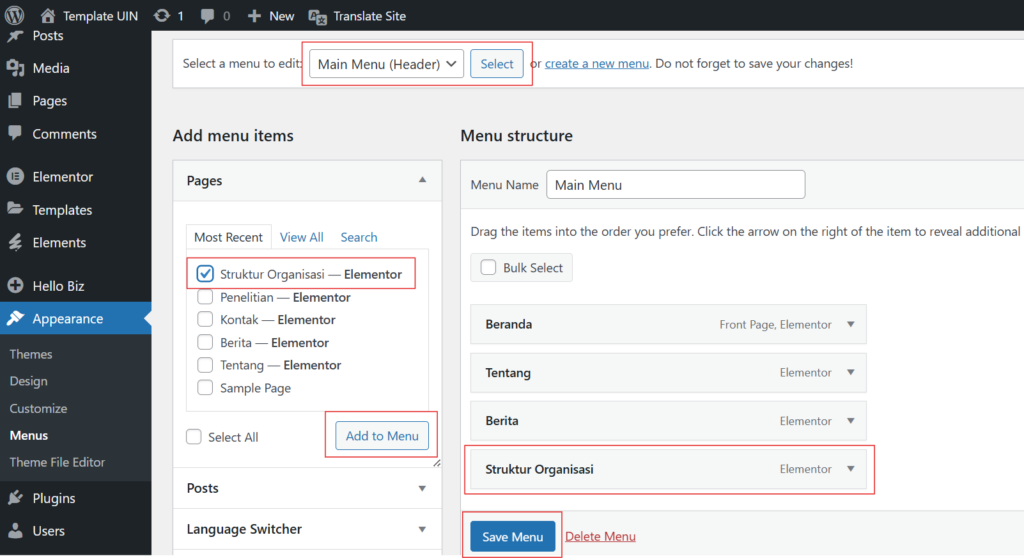
- Make sure you are editing in the “Main Menu” or “Main Menu Duplicate” then click “select”
- Check the page you want to add to the menu, for example "organizational structure", then click "add to menu"“
- After that, the menu will automatically be added under the news menu (as in the picture)
- If you want to change the menu position, please drag it to the desired position.
- Don't forget to click "save menu"“
* If you want to delete 1 menu, don't click "delete menu" because it will delete the entire menu.
Click the dropdown in the menu (next to elementor), below it, click “remove”.