MIU Login

Add Post Guide

This guide is for those of you who want to add published news such as events from faculties, departments, universities, or units.

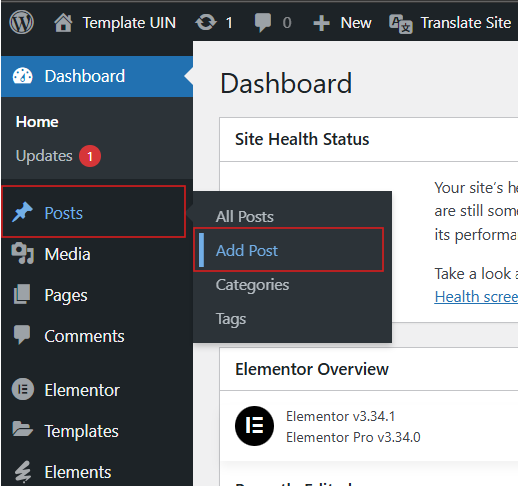
  1. Click “post” on your WordPress dashboard page, then click ”add post”.

2. Add post page

  • Type the title of the news you want to add
  • Just type the news content below the news title.
  • Click “set featured image” to add a front cover image to your news.
  • Select the categories you need, for example, if you enter news, check the "news" category.“
  • Click “Publish” to save

Related News